flutter的Container和Center组件

今天继续学习flutter

组件概况

组件类别核心组件主要特点/使用场景
基础容器Container、Center、Align、Padding提供装饰、对齐、边距等基础样式和布局控制,是使用频率极高的组件
线性布局Row、Column在水平或垂直方向线性排列子组件,是构建界面的基础
弹性布局Flex、Expanded、Flexible按照比例分配剩余空间,实现自适应布局,常与 Row 和 Column 配合使用
层叠布局Stack、Positioned让子组件重叠堆叠,用于实现如图片上叠加文字、悬浮按钮等效果
流式布局Wrap、Flow当主轴空间不足时自动换行或换列,常用于标签、滤镜等动态宽高内容的排列
滚动布局ListView、GridView提供可滚动的列表或网格视图,高效展示大量数据

基础容器-Container

  • 定义:Container 是功能丰富的布局组件,是一个多功能组合容器
  • 尺寸控制:可通过多种方式定义大小,有明确优先级规则。
  • 优先级:明确宽高 > constraints约束 > 父组件约束 > 自适应组件大小

案例:
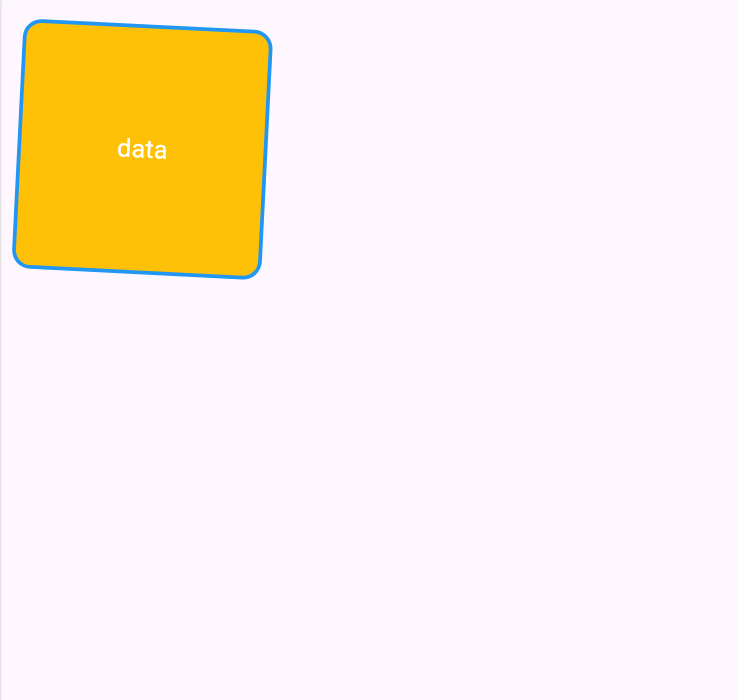
 1
 2
 3
 4
 5
 6
 7
 8
 9
10
11
12
13
14
15
16
17
18
19
20
21
22
23
24
25
26
27
28
29
30
31
32
33
34
35
import 'package:flutter/material.dart';

void main(List<String> args) {
  runApp(const MainPage());
}

class MainPage extends StatelessWidget {
  const MainPage({super.key});

  @override
  Widget build(BuildContext context) {
    return MaterialApp(
      home: Scaffold(
        body: Container(
          transform: Matrix4.rotationZ(0.05),
          margin: EdgeInsets.all(20),
          width: 200,
          height: 200,
          // color: Colors.black
          decoration: BoxDecoration(
            color: Colors.amber,
            borderRadius: BorderRadius.circular(15), // 设置圆角,
            border: Border.all(width: 3, color: Colors.blue),
          ),
          child: Center(
            child: Text(
              "data",
              style: TextStyle(color: Colors.white, fontSize: 20),
            ),
          ),
        ),
      ),
    );
  }
}

基础容器-Center - 居中组件

  • 应用场景: 页面内容整体居中,如将一个登录表单或一个加载中的提示图标在页面正中显示
  • 注意事项: Center 不能设置宽高,Center 的最终大小取决于其父组件传递给它的约束,Center 会向它的父组件申请尽可能大的空间
  • 实现固定宽高且居中的组件: Center 去包裹一个具有固定宽高的子组件。Container / SizedBox

案例:
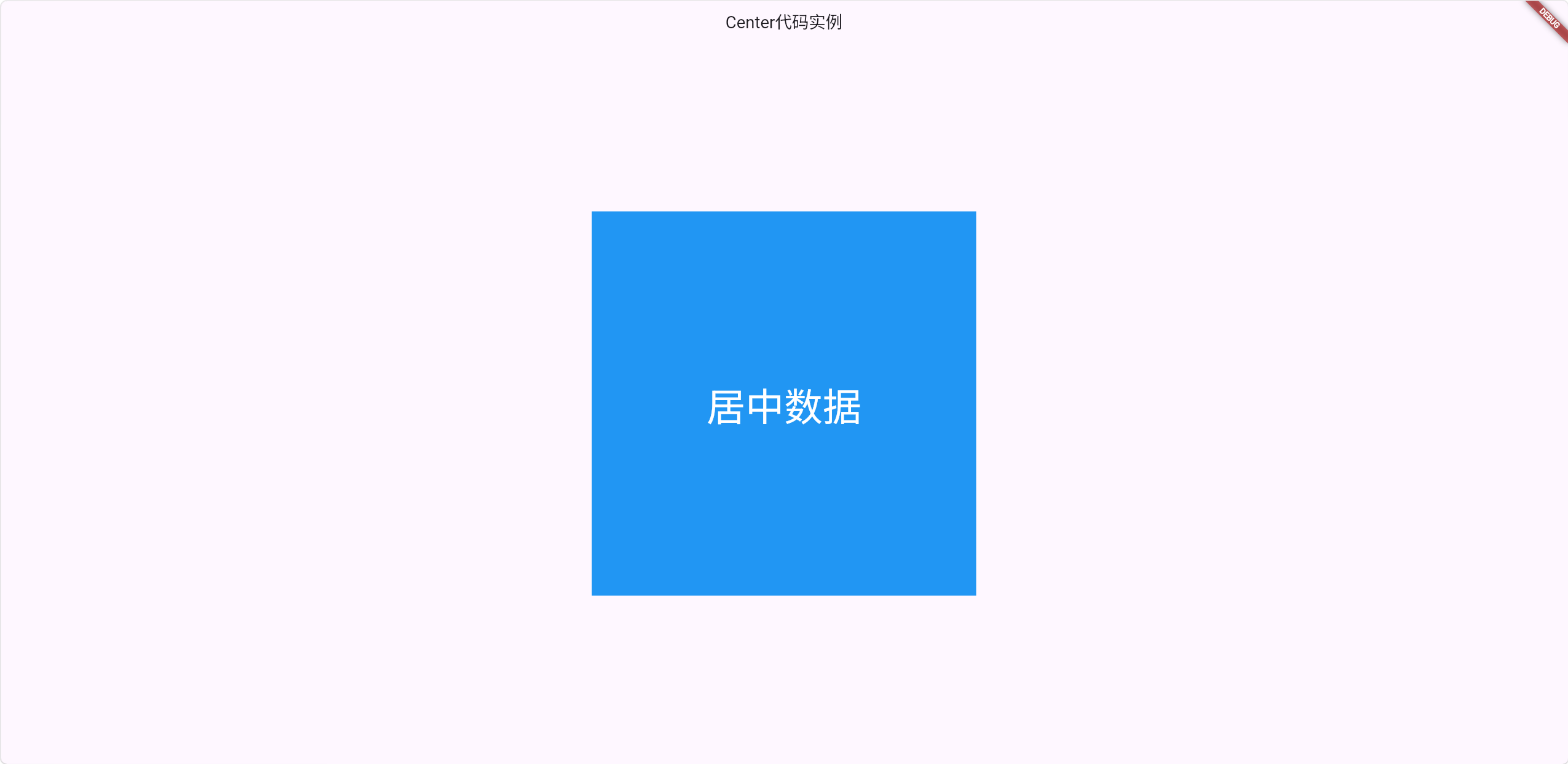
 1
 2
 3
 4
 5
 6
 7
 8
 9
10
11
12
13
14
15
16
17
18
19
20
21
22
23
24
25
26
27
28
29
import 'package:flutter/material.dart';

void main(List<String> args) {
  runApp(MainPage());
}

class MainPage extends StatelessWidget {
  const MainPage({super.key});

  @override
  Widget build(BuildContext context) {
    return MaterialApp(
      home: Scaffold(
        appBar: AppBar(title: Center(child: Text("Center代码实例"))),
        body: Center(
          child: Container(
            width: 100,
            height: 100,
            // color: Colors.blue,
            decoration: BoxDecoration(color: Colors.blue),
            child: Center(
              child: Text("居中数据", style: TextStyle(color: Colors.white)),
            ),
          ),
        ),
      ),
    );
  }
}

© 2026 ren517 All rights reserved.

陕ICP备2026004348号